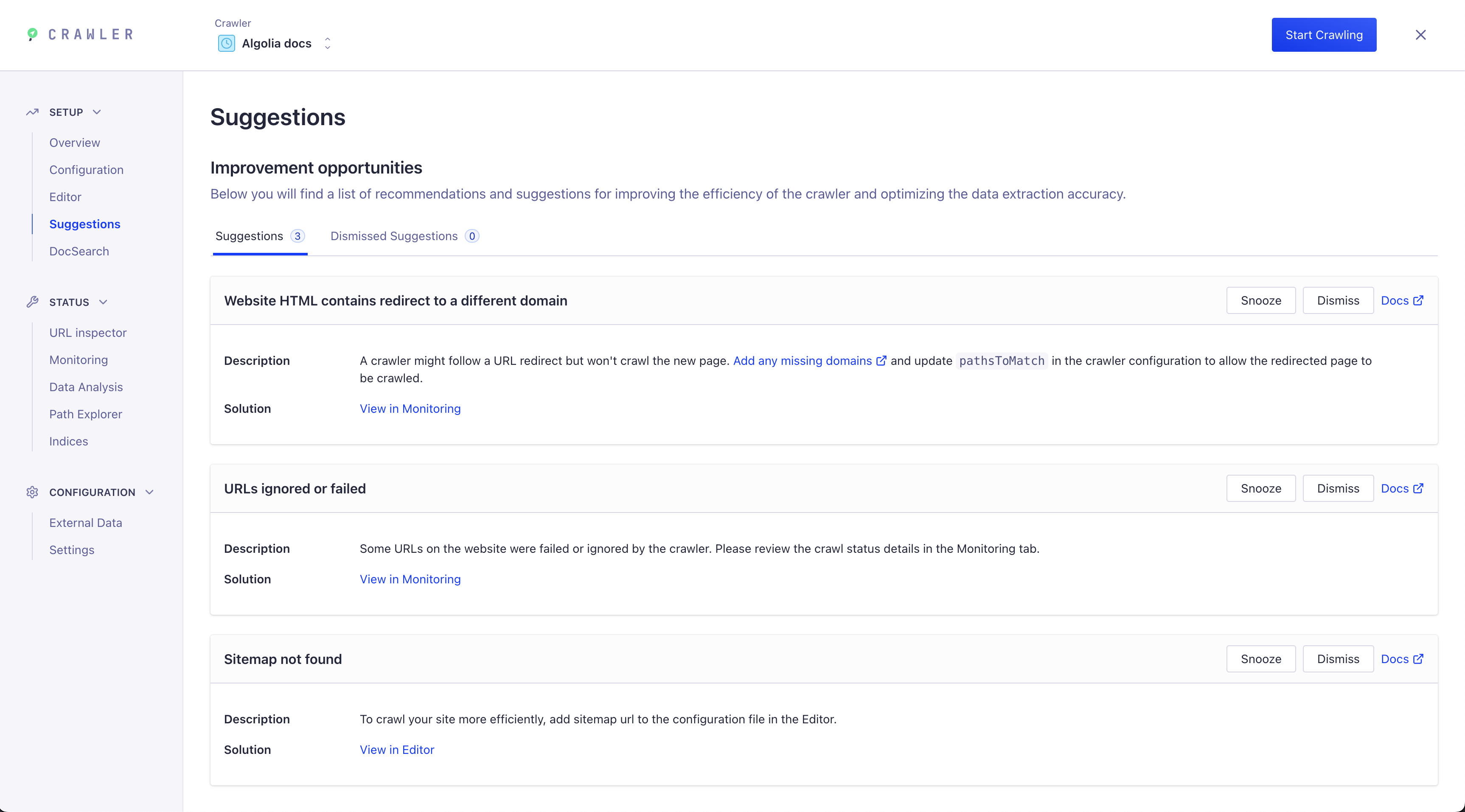
Crawler interface
Use the Algolia Crawler interface to manage crawl settings and monitor indexing. These settings are separate from your installed DocSearch frontend package version.
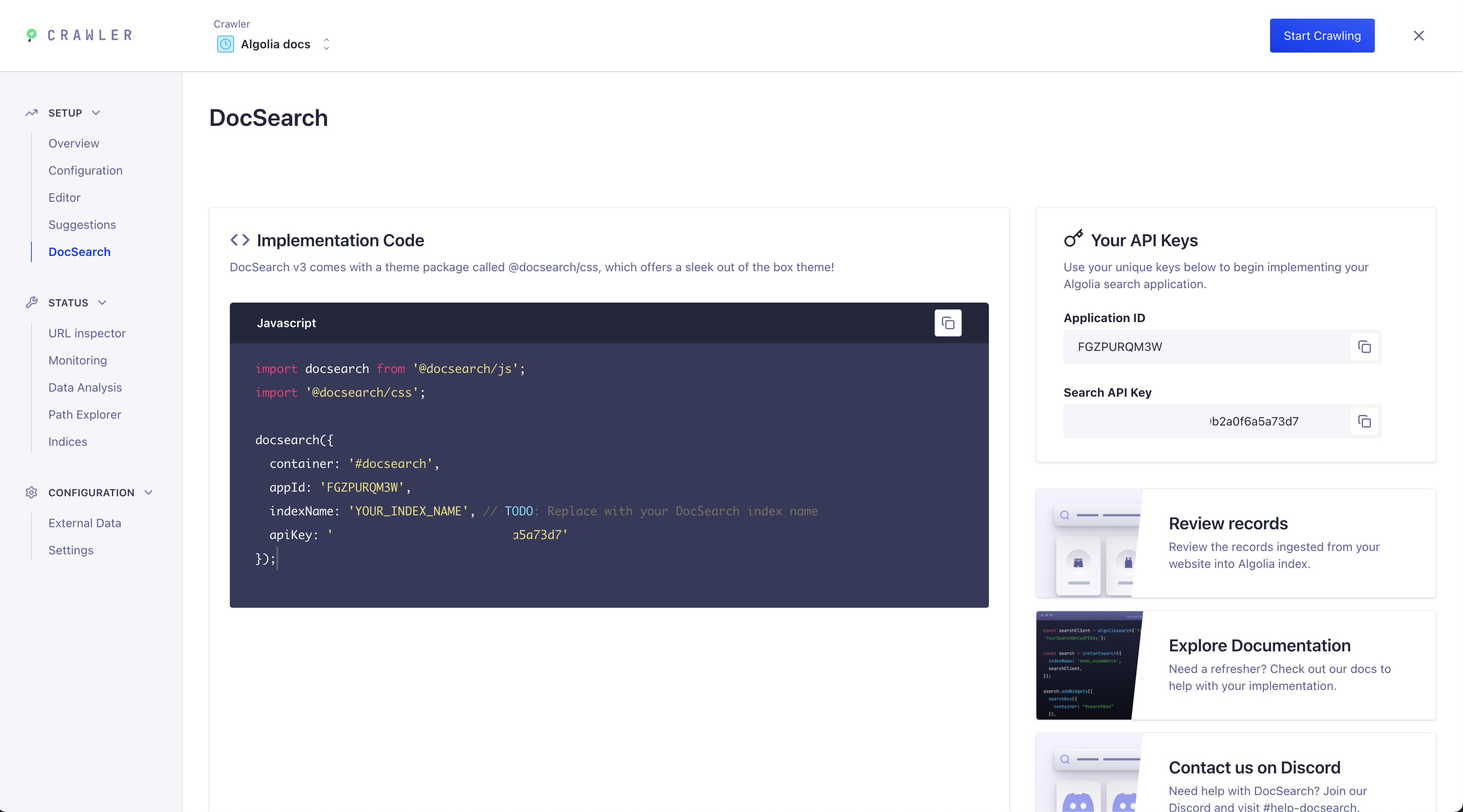
DocSearch tab
The Crawler UI now includes a dedicated DocSearch tab. This tab provides everything you need to implement DocSearch on your site, including:
- Implementation code: Starter snippets for integrating DocSearch into your frontend. For v5, compare the snippet with the current package guide.
- API keys: Your unique Application ID and Search API Key for connecting to your Algolia index.
- Documentation links: Access to review your records, explore documentation, and join the support Discord.
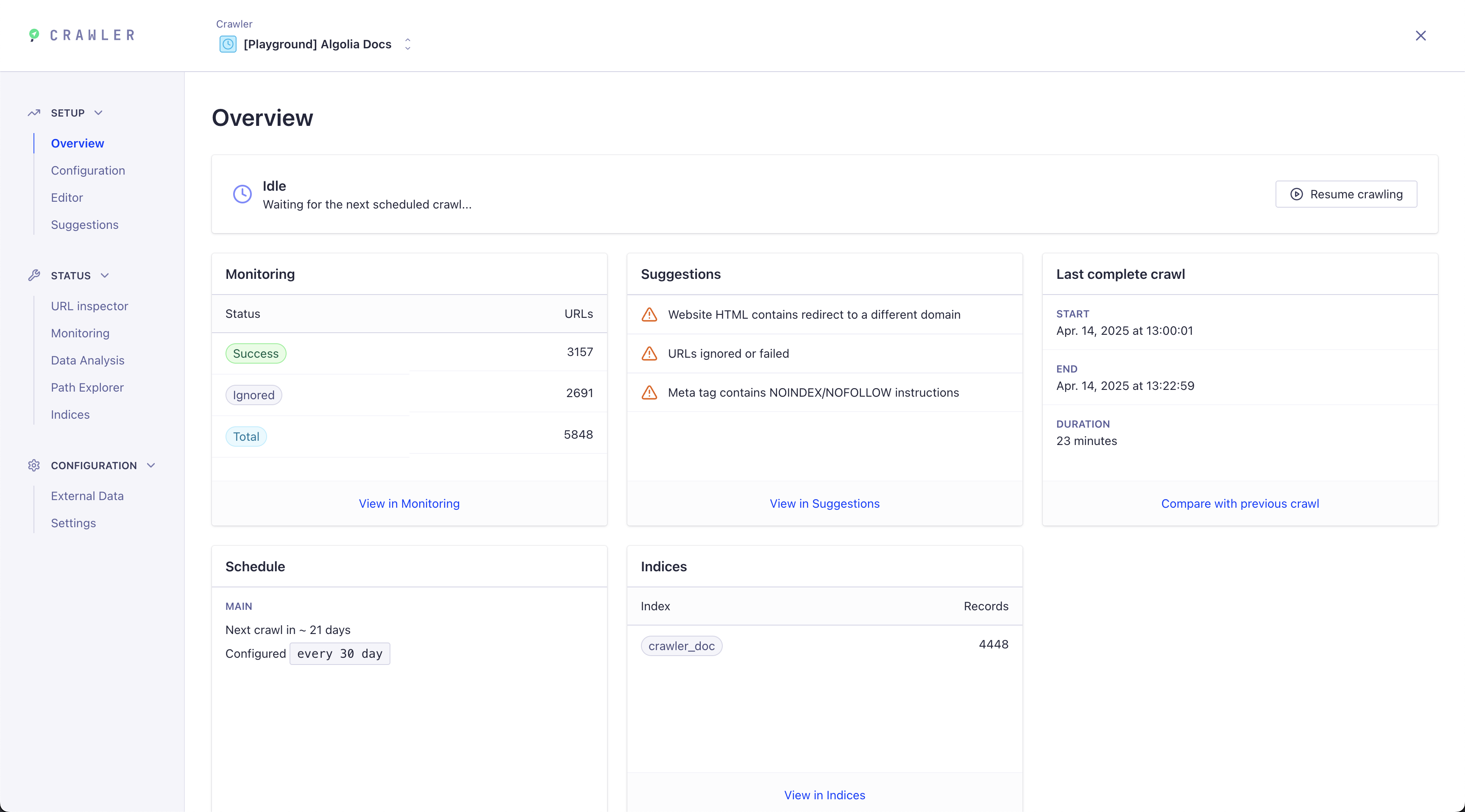
Trigger a new crawl
Head over to the Overview section to start, restart or pause your crawls and view a real-time summary.
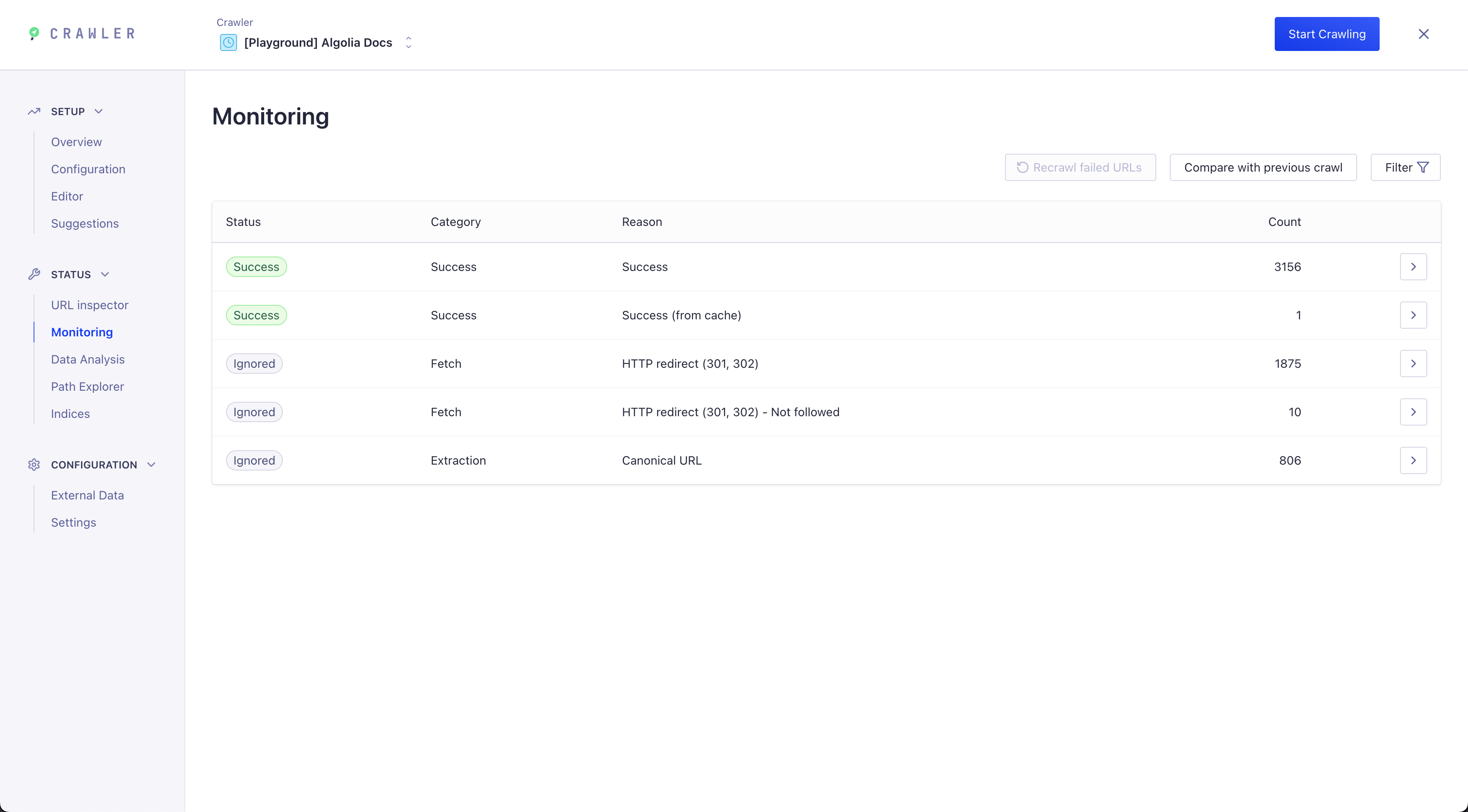
Monitor your crawls
The Monitoring section helps you find crawl errors or improve your search results.
Update your config
You can update your crawler configuration in two ways:
Visual configuration: Edit common options without writing code in the visual configuration interface.
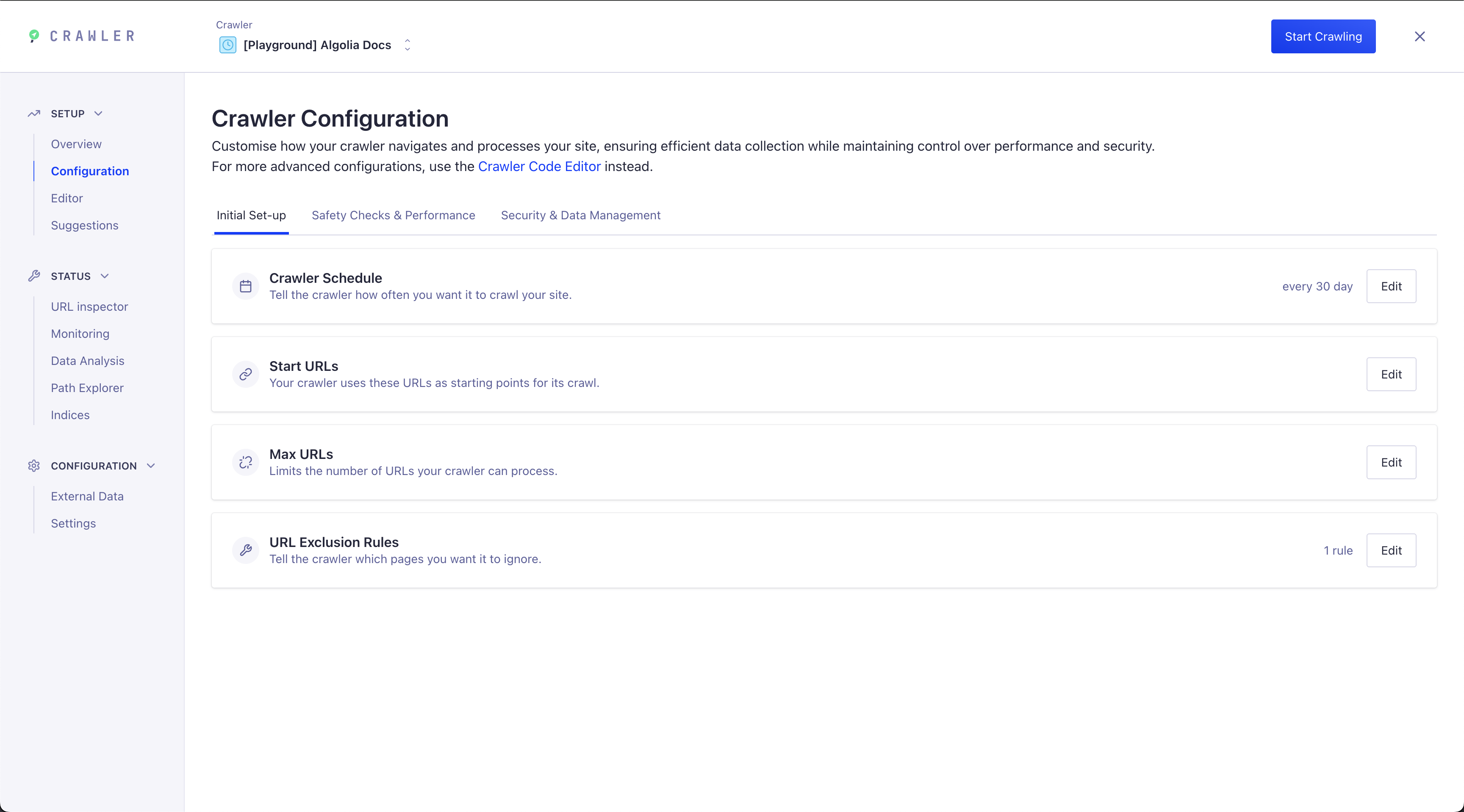
Code editor: For advanced configuration, use the live code editor to modify your configuration and test URLs with the URL tester.
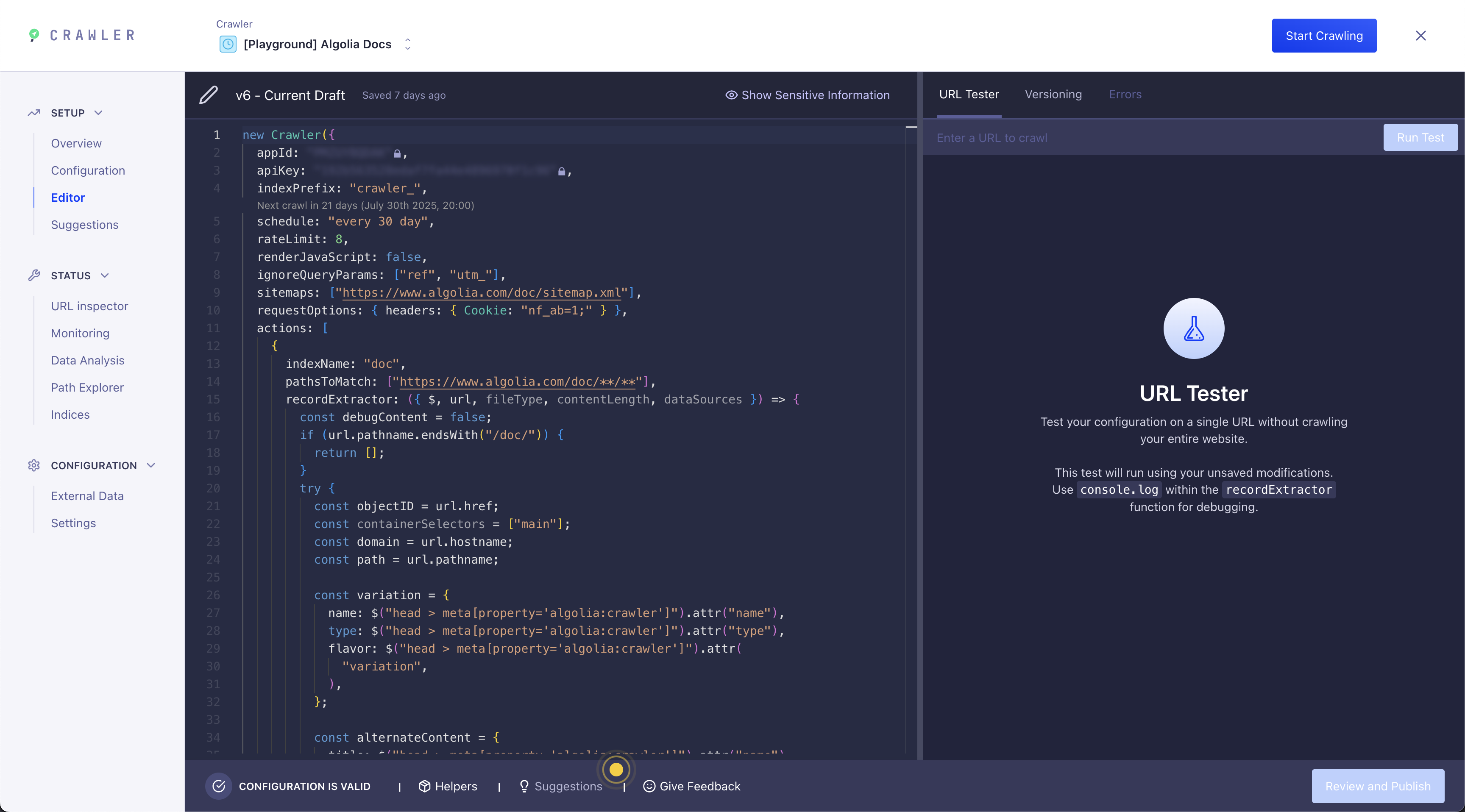
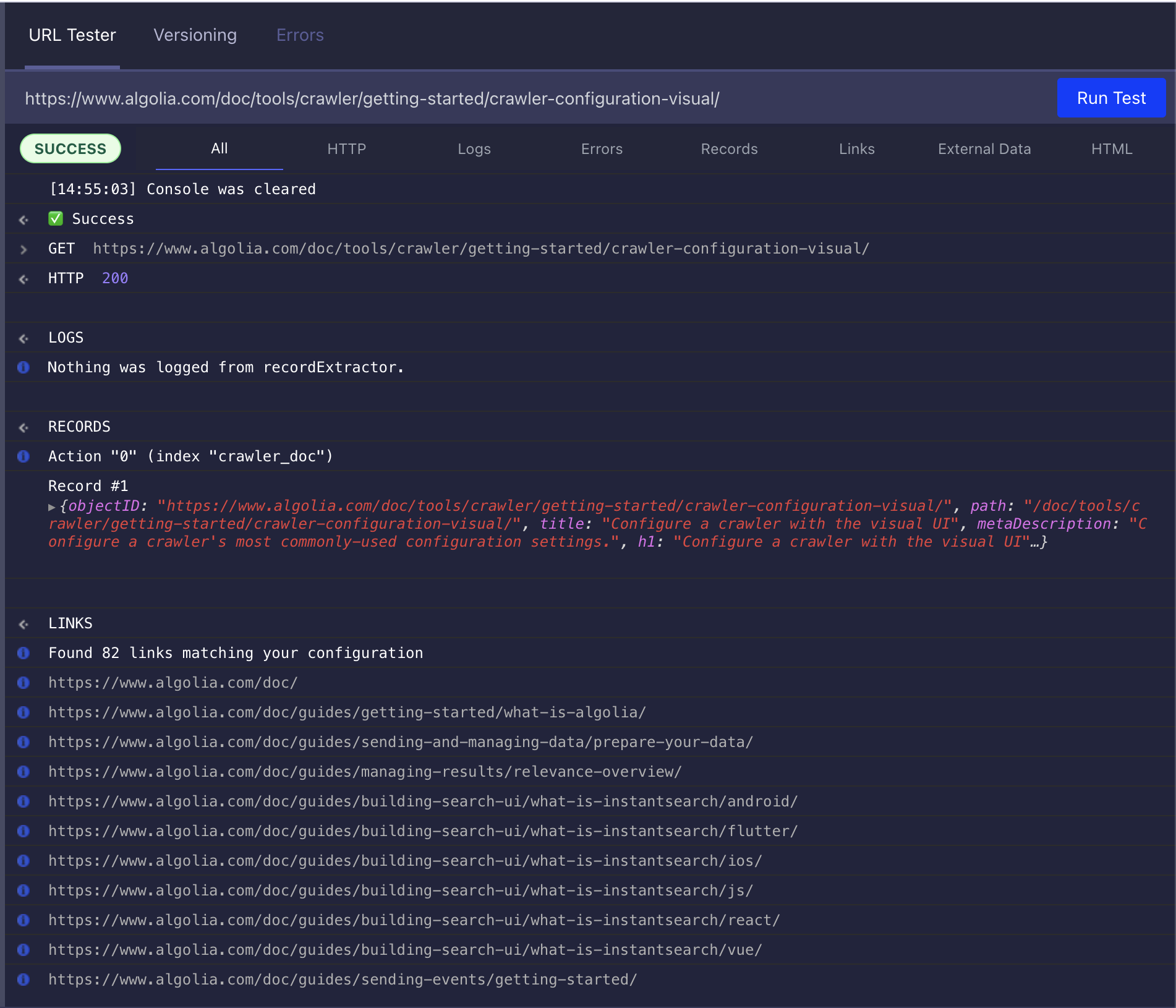
URL tester
From the editor, you can use the URL tester to debug selectors or see how the crawler interprets your site.
Suggestions
The Suggestions section in the Crawler UI provides actionable feedback to help you improve your crawl and data extraction. After each crawl, you'll see recommendations for:
- Fixing redirect or domain issues
- Addressing ignored or failed URLs
- Adding missing sitemaps
Each suggestion includes a description, a solution, and links to relevant documentation or monitoring tools.